When you build skills for AI coding agents, you face a packaging problem. The skill itself works fine. The server connecting it to tools works fine. But every platform wants these components wrapped differently — different folder structures, different config formats, different metadata requirements. Agent Plugins solves this by defining one standard way to package these pieces together.

What Agent Plugins actually changes
Agent Plugins is a specification, not a product. It defines how to bundle:
- Agent Skills (reusable instructions and resources for AI agents)
- MCP servers (connections to tools and services)
- Client-specific extensions (platform hooks and customizations)
The key innovation is constraint. A plugin must use this exact structure:
reports-plugin/
├── plugin.json
├── skills/
│   └── summarize/
│       ├── SKILL.md
│       ├── scripts/
│       └── references/
├── mcp.json
└── com.example.client/
Tip
The com.example.client folder is the escape valve — it lets platforms add custom features without breaking the standard core.
Why this matters for learners
Three concrete improvements when you adopt this:
-
No more fork-and-drift
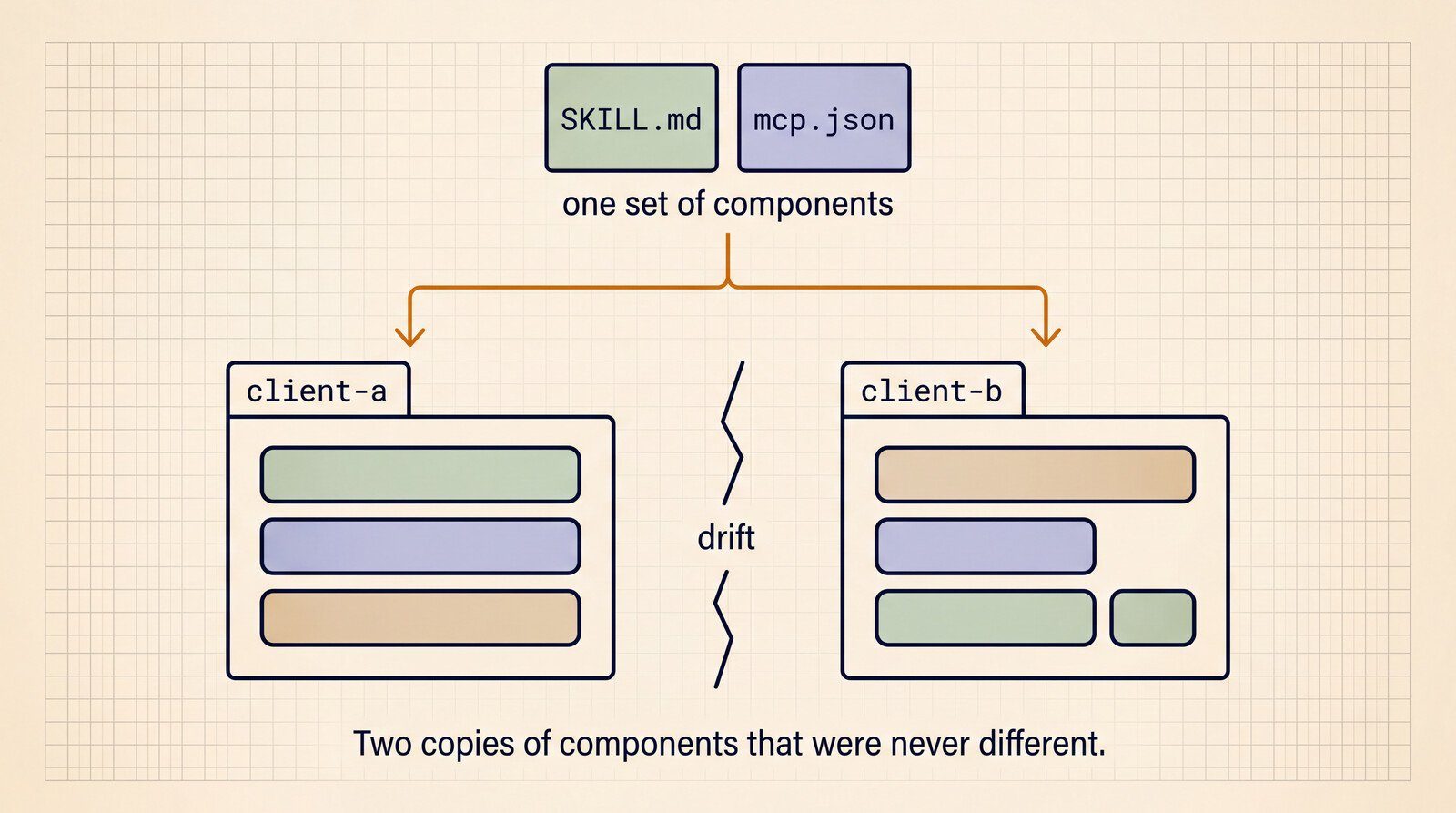
Previously, shipping to multiple platforms meant maintaining separate copies of essentially the same components. Now you maintain one package that works everywhere. -
Independent failures
If your MCP server fails to start, the agent still loads your skills. The spec enforces loose coupling between components. -
No hidden discovery rules
Unlike some proprietary formats, there’s no magic path resolution or config precedence to learn. Everything lives at fixed locations.
When not to use a plugin
The spec authors explicitly warn against over-engineering:
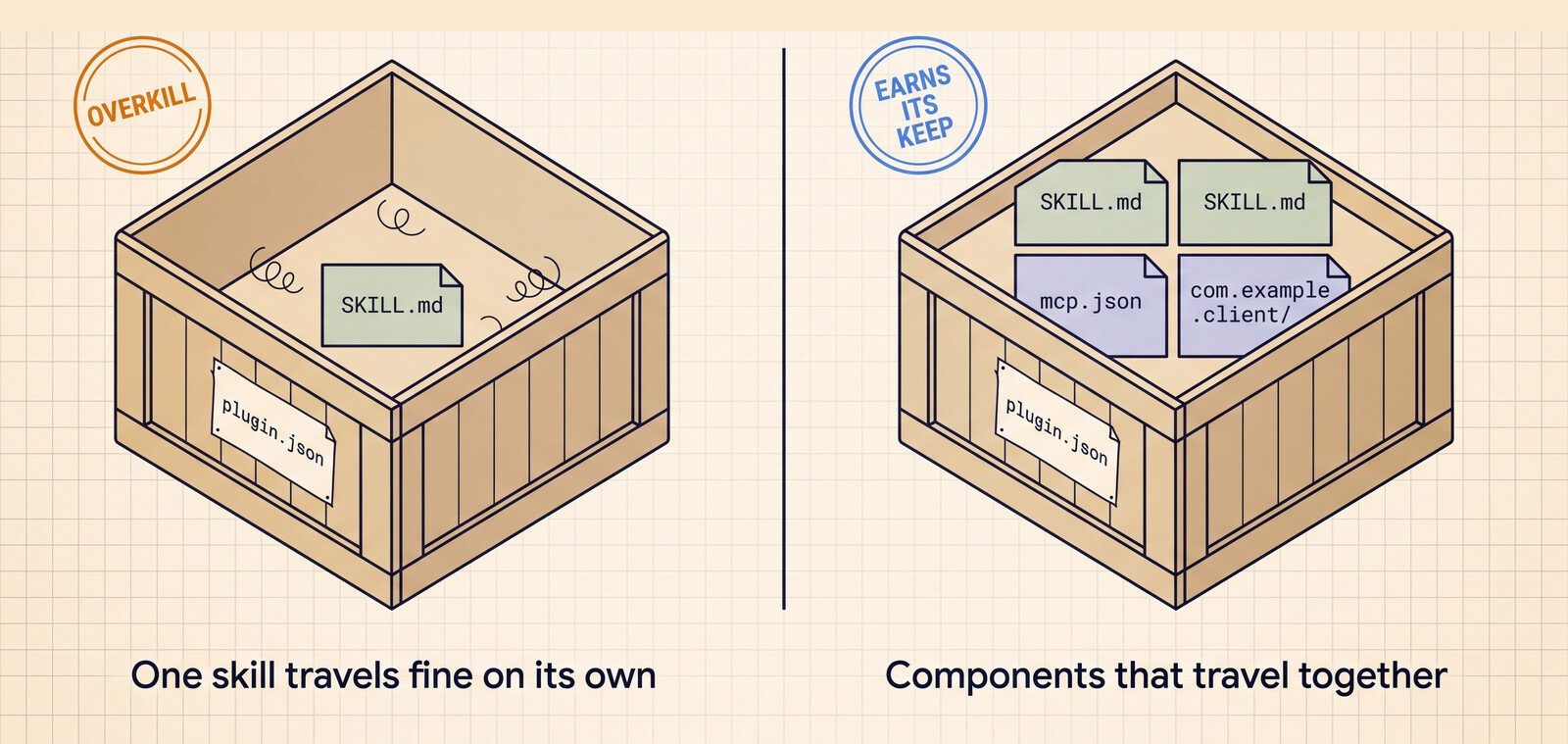
- Use a standalone Skill when you only need instructions (e.g., a code review checklist)
- Use standalone mcp.json when connecting one tool to one agent
- Only reach for a Plugin when bundling multiple interdependent components
How major platforms are adopting it
Google’s first supported products:
| Product | What It Ships | Key Use |
|---|---|---|
| Agents CLI | Agent building/evaluation skills | Turn any coding agent into an agent-ops expert |
| Data Agent Kit | BigQuery/Spanner connectors | Manage cloud data assets from your IDE |
Important
This isn’t just a Google standard. The technical steering committee includes Amazon, Microsoft, OpenAI, and Vercel — meaning plugins you build today should work across most major coding agents.
What’s deliberately missing
The spec omits several things you might expect:
- No installation mechanism
- No permission model
- No sandboxing rules
- No UI/UX guidelines
This keeps the standard focused and lets each platform handle these concerns differently.
How this fits with other standards
Agent Plugins slots into an emerging stack:
- Discovery: Agentic Resource Draft (ARD) finds available plugins
- Description: AI Catalog entries reference plugin.json
- Packaging: This spec defines the directory structure
- Execution: MCP and Skills handle runtime behavior
You can adopt each layer independently — for example, using plugins without ARD discovery.
What to do next
-
Try building one
Create a folder with:plugin.jsoncontaining just{"name":"demo"}skills/greet/SKILL.mdwith hello-world instructions
-
Check existing plugins
Examine Google’s Data Agent Kit plugins to see real-world examples. -
Read the spec
At 12 pages, it’s intentionally brief — the reference implementation is under 300 lines of code.
Packaging standards aren’t glamorous, but they’re what let your skills work anywhere without rewrite. This one’s worth learning because it’s the first with cross-vendor backing.
Want to try all of this hands-on? Start with the free Claude Code from Zero course.
Source
Based on Google DeepMind’s announcement, “Agent Plugins package your skills, tools, and more”. Written for people learning to build with these tools.