When you’re building AI features for apps, running models directly on a user’s device (called “edge inference”) solves two big problems: it keeps data private by not sending it to the cloud, and makes features like photo filters respond instantly. But until now, this required wrestling with different GPU chips, drivers, and coding approaches for each device. ML Drift changes that.

What ML Drift actually does
ML Drift is a free, open-source engine that lets AI models run efficiently across:
- Phones (Android/iOS)
- Web browsers (via WebGPU)
- Desktops (Windows/macOS/Linux)
It replaces Google’s older TensorFlow Lite GPU system with three key upgrades:
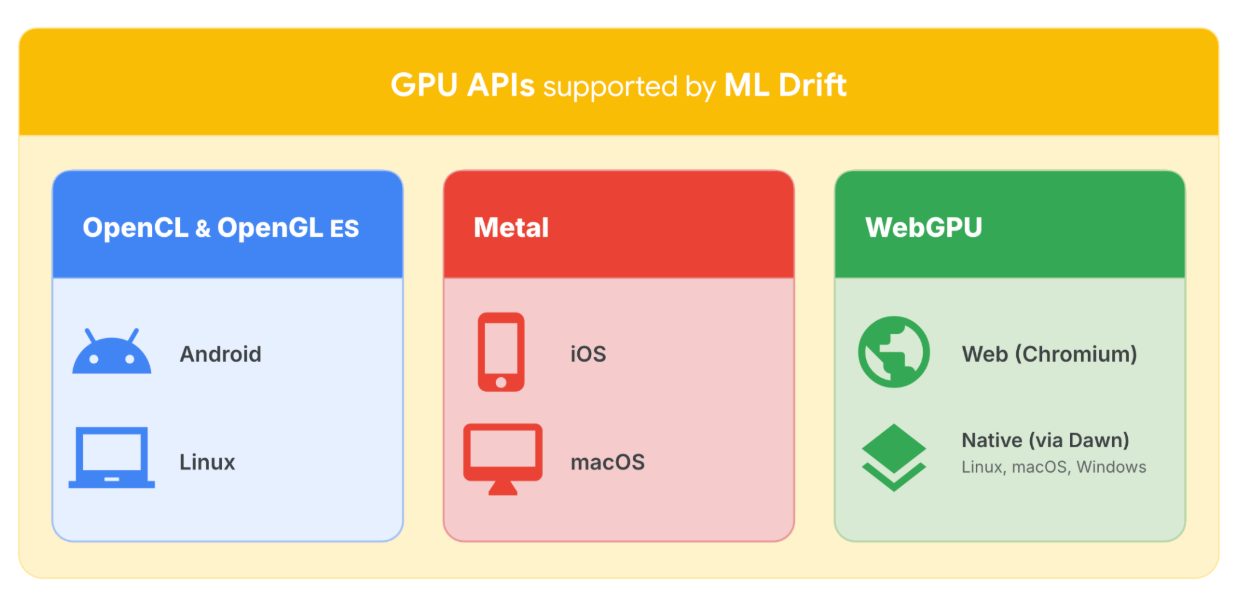
- One codebase for all devices - Write your GPU-accelerated AI feature once, and ML Drift handles the differences between Apple’s Metal, Android’s OpenCL, and web standards.
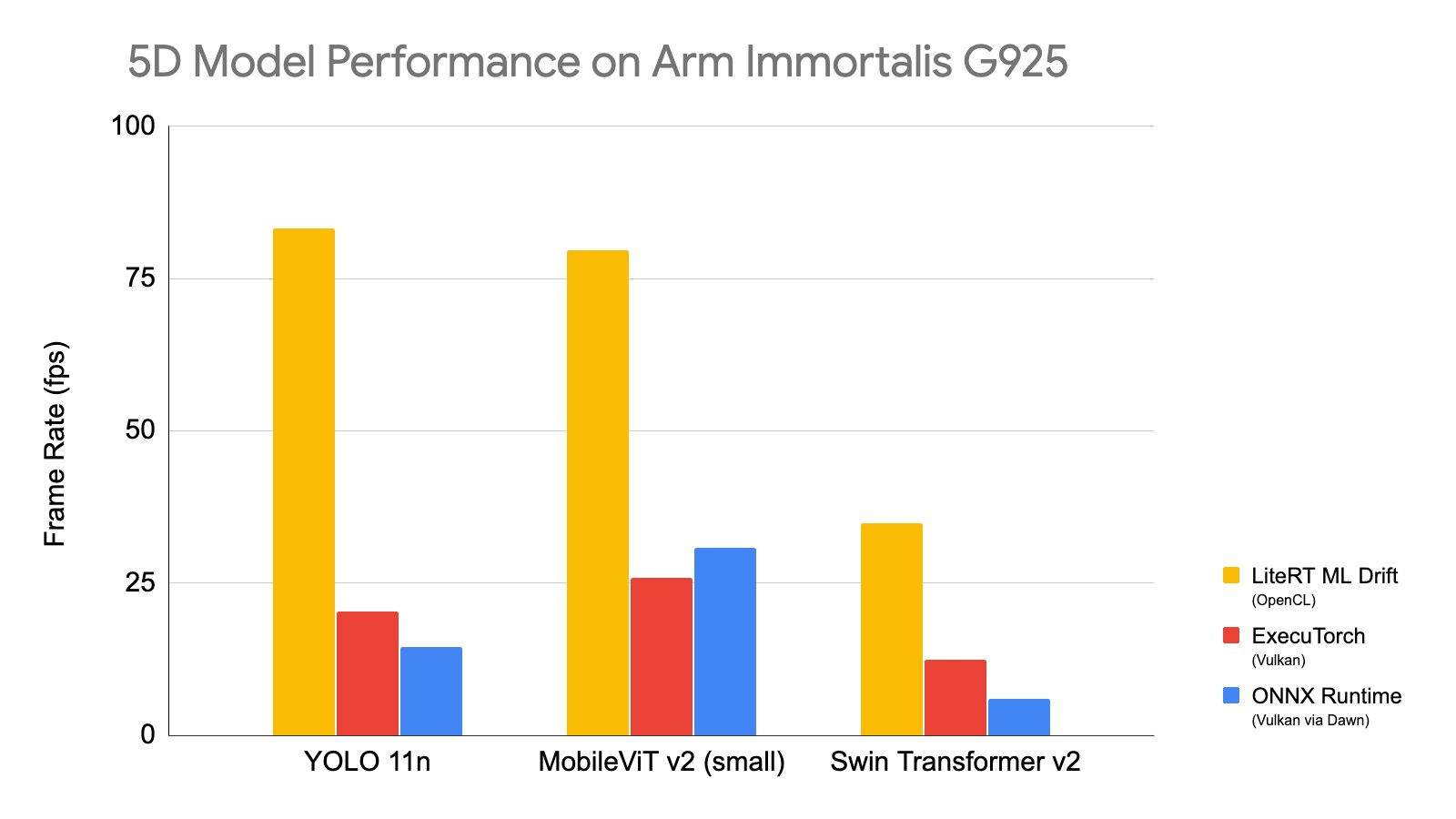
- Better performance for new AI types - Optimized for both traditional models (like object detection) and modern generative AI (think Stable Diffusion or Llama).
- Memory savings - Uses 12% less RAM than other frameworks, letting you run more models simultaneously.
Why this matters when you're learning
Tip
If you’re using AI coding assistants to build apps, ML Drift removes two major roadblocks: worrying about device compatibility, and hitting performance walls with newer models.
Most beginner tutorials assume you’ll use cloud AI APIs. But when you want to:
- Add a real-time background blur to video calls
- Run a local chatbot that works offline
- Process sensor data on a wearable
...you need on-device AI. Previously, this required:
| Challenge | Old Approach | With ML Drift |
|---|---|---|
| Multiple device types | Write separate GPU code for each | Single implementation works everywhere |
| Advanced models (5D tensors) | Complex workarounds | Native support |
| Memory limits | Often crashed on phones | Fits more models in RAM |
Specific improvements you'll notice
Easier custom AI components
ML Drift includes an “agentic SKILL.md guide” — meaning your AI coding assistant can now:
- Generate custom GPU shaders (the low-level code that makes models fast)
- Test them automatically
- Integrate them into your app
This is huge for learning. When a tutorial says “implement this paper’s novel layer,” you can task your coding agent with making it run efficiently on phones.
Better real-world performance
Google’s apps already show what beginners can achieve:
| App | Improvement | What It Means For You |
|---|---|---|
| YouTube Shorts | 40% faster filters | Smoother AR effects in your apps |
| Google Photos | 2 sec faster edits | Professional tools feel instant |
| Snapchat | 30% faster lenses | Complex AI reacts in real time |
How to start using it today
ML Drift integrates with LiteRT (Google’s edge AI runtime) in two ways:
- For app developers - Use the pre-built LiteRT ML Drift accelerator:
## Sample Python usage (Android/iOS similar)
from litert import GpuAccelerator
accelerator = GpuAccelerator.create_with_ml_drift()
- For custom engines - Direct C++ API access lets you build specialized runtimes.
Important
The old TensorFlow Lite GPU delegate still works but won’t get updates. Migrate existing projects to ML Drift for better performance.
When you might not need it
ML Drift shines for:
- Cross-platform apps needing GPU acceleration
- Cutting-edge models (especially 5D tensor architectures)
- Memory-constrained devices
Stick with simpler cloud APIs if you’re:
- Building web apps without complex AI
- Using only basic pre-trained models
- Not targeting performance-critical use cases
The bigger picture for beginner builders
This release signals that major platforms now expect apps to include sophisticated on-device AI. As you learn:
- Focus on what the AI does, not device-specific optimizations
- Experiment with generative AI features you couldn’t run locally before
- Expect coding assistants to handle more low-level GPU work
ML Drift won’t make edge AI trivial, but it removes the steepest learning cliffs — letting you focus on creating rather than compatibility.
Want to try all of this hands-on? Start with the free Vibe Coding 101 course.
Source
Based on Google’s announcement, “ML Drift: Next-Gen GPU AI/ML Inference at the Edge”. Written for people learning to build with these tools.